

Fixed Custom Binary Blocked by FRP Lock Samsung. When we switch on our android phone and see “Custom Binary Blocked by FRP Lock” in red color at the top right of the screen. We would get confused and be uninformed about it. This type of error typically seems on the black screen when you flash a ROM software or root our device. but in the new devices, it will appease on the green screen.
All custom binary blocked issues.
Boot – Custom binary ( boot ) blocked by FRP Lock
Recovery – Custom binary ( Recovery ) blocked by FRP Lock
Secure boot – Custom binary blocked by secure boot recovery IMG
Installment balance – Custom binary boot blocked due to remaining installment balance
All binaries are not allowed to be flashed due to kg locked
The kernel is not Seandroid enforcing custom binary blocked by fap lock
Recovery is not Seandroid Enforcing
Could not do normal boot invalid kernel length
Part 1: What Is FRP Lock on Android Device?
FRP is the abbreviation of Factory Reset Protection. Android has added a special security feature on an android device with Android OS version 5.1 or higher than you need Google email address and password to factory reset it. Otherwise, you will not be able to access your android mobile and it will be locked. This feature is automatically enabled when you register your Google account on an Android device. So, if you cannot recall your Google account password, then you have to disable frp lock Samsung to regain access to your Samsung mobile.
Part 2: Can You Disable FRP Lock on Any Android Device?
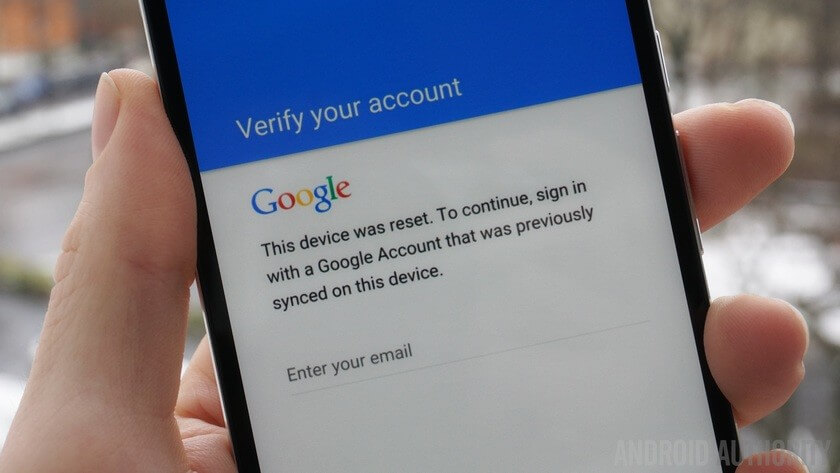
Well, the answer is definitely YES. If you have forgotten the password and want to reset your mobile for any purpose, then you can disable frp lock Samsung. Whenever you have reset an android device having Android OS version 5.1 or higher, the following notification pops up on your screen.
The problem arises when you couldn’t recall your Google account details to enter but you need not worry as in the following paragraphs, I will explain various methods to disable FRP lock.
Part 3: Top 3 Guides on Disable Google FRP Lock[Take Samsung as an Example]
FRP lock has become an inherent component of the Android security program. It protects your private data against theft as there is no direct way to bypass Google FRP lock. But Google provides certain methods to disable google FRP lock.
I will explain to you the three simplest and widely recommended methods to disable Google FRP lock to continue using your Android mobile even if you forget your Google account password or ID.
How to Disable Google Account Verification on Android Device
You can directly disable Google FRP lock on your Android device. When you forget your account credentials, you are stuck at the following screen. Just follow the below guidelines to understand how to disable google frp lock.
Firstly, connect your device to the WIFI and make sure you have chosen the Google Keyboard option.
Now, tap on @ and then tap on the ‘settings’ icon. After that, open the ‘Google Keyboard setting’.
Click on 3 dots at the top and select ‘Help and Feedback’ and then tap on ‘Search Google and send results from your keyboard’ option on the screen.
Now select the word from the screen and click on ‘Web search’ at the top and open it via Google App and you will see search results.


No comments: